
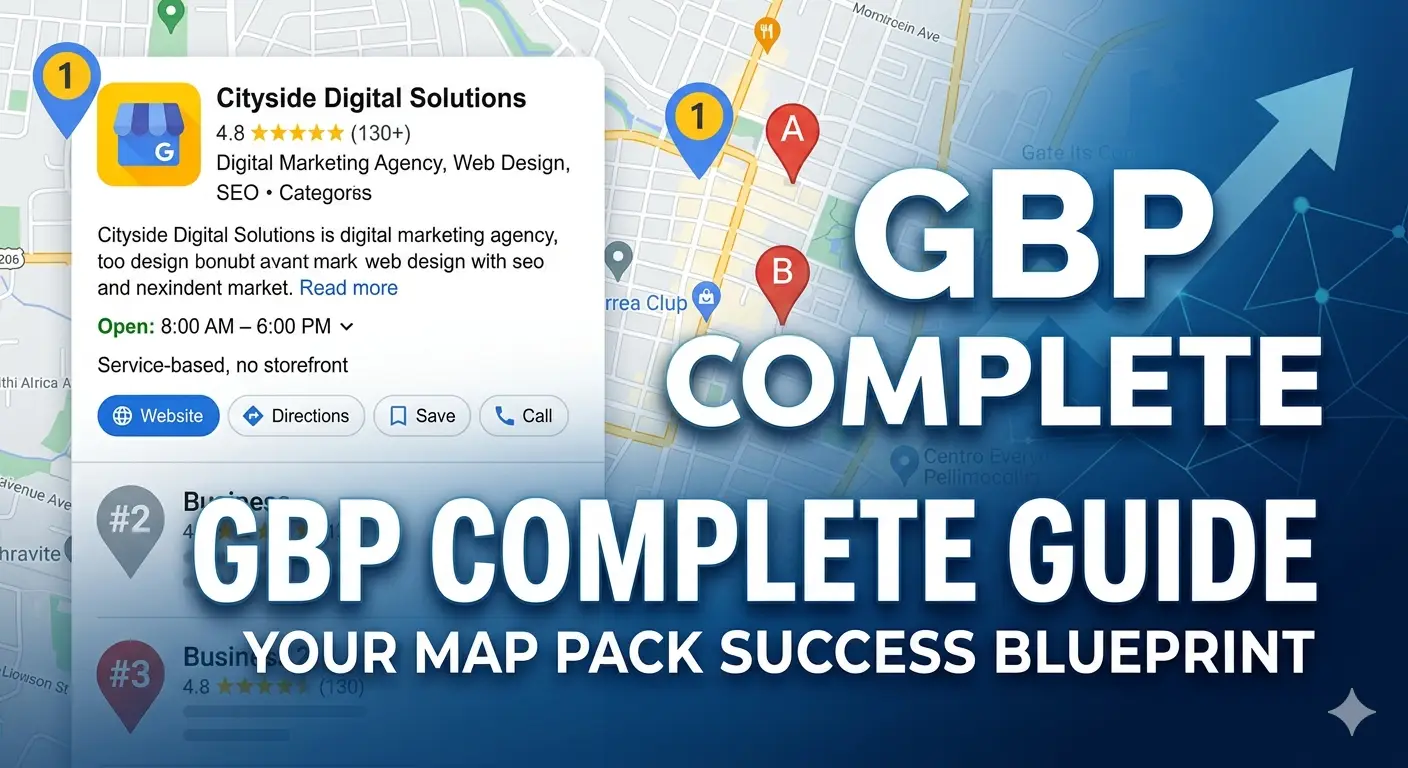
Your Google Business Profile is the single most important local marketing asset your business has — and it costs nothing to create. When someone in your area searches for the service you offer, it determines whether your business appears in the map pack that captures the majority of local clicks, what they see when they find you, and whether they choose you over the businesses listed beside you. Yet the majority of UK small businesses either haven’t claimed their profile, have claimed it but completed only the basics, or set it up years ago and never returned to it. This guide walks you through every step — from claiming to full optimisation — so your profile works as hard as it should.
What Is Google Business Profile?
Google Business Profile (GBP) — previously called Google My Business — is the free tool that allows business owners to manage how their business appears on Google Search and Google Maps. A fully completed, actively managed profile is the primary signal Google uses when deciding which businesses to show in the local map pack for relevant searches.
When someone searches “accountant near me” or “web designer Wolverhampton” and sees a block of three businesses with a map above all other results — that’s the map pack, and those businesses got there primarily through their Google Business Profile.
Before You Start
You’ll need:
- A Google account (create one at accounts.google.com if you don’t have one)
- Your business address or service area postcode
- Your business phone number (local number preferred)
- Your website URL
- Access to the email address or phone number associated with the business (for verification)
- A selection of high-quality photos of your business, premises, team, and work
The entire setup process takes approximately 30–60 minutes. Verification adds a few more days if done by postcard (the most common method).
Step 1: Claim or Create Your Profile
Go to business.google.com and sign in with your Google account.
Search for your business name. There are two possibilities:
Your business already has a profile (unclaimed): Google often creates basic profiles for businesses automatically from publicly available data. If your business appears, claim it rather than creating a new one — this preserves any existing reviews and data.
No existing profile: Select “Add your business to Google” and follow the prompts to create one from scratch.
If someone else has claimed your profile (a previous owner, a previous agency), you’ll need to request ownership. Google provides a process for this — it typically takes a few days to resolve.
Step 2: Verify Your Business
Google requires verification before your profile becomes publicly visible. The most common verification method for UK businesses is by postcard — Google sends a card to your registered address with a PIN you enter online. This typically takes 3–7 days.
Other verification methods (phone, email, video) may be offered depending on your business type and situation. If available, these are faster than postcard verification and worth choosing.
Important: Don’t make significant changes to your profile while verification is pending — it can reset the process.
Step 3: Complete Every Section
This is where most businesses stop far too early. A partially completed profile is significantly less visible than a fully completed one. Work through every section systematically.
Business Name
Use your exact trading name — nothing more, nothing less. Do not add keywords, location names, or descriptors to your business name (e.g. “HusQuay — Best Web Design Wolverhampton”). This violates Google’s guidelines and risks profile suspension. Your business name in GBP must match the name on your website and in your other directory listings exactly.
Primary Category
The single most important field in your entire profile. Google uses your primary category to determine which searches your business is relevant for. Choose the most specific, accurate category available — not the broadest one. Search the available categories carefully; Google has hundreds, and the difference between “Marketing Agency” and “Digital Marketing Agency” matters.
Secondary Categories
Add all additional categories that genuinely describe your business. A web design agency might add: Graphic Designer, Marketing Consultant, SEO Agency. Each secondary category expands the searches your profile is eligible to appear for.
Address or Service Area
Physical location businesses (where customers visit you): Enter your full address. This will display publicly on your profile.
Service area businesses (where you travel to customers): You can set service areas by town, city, or postcode region rather than displaying your home address. Add every area you genuinely serve — but be realistic. Claiming a service area of the entire UK when you’re a local plumber in Wolverhampton will harm your local relevance signals.
Hybrid businesses (physical location + service area): You can display your address and set service areas simultaneously.
Phone Number
Use a local geographic number where possible (01902 for Wolverhampton, for example). Local numbers are a subtle but genuine trust signal for both Google and potential customers. If you use a mobile number, include it — but add a local number if you can.
Website URL
Link to your homepage, or to a specific landing page if you’ve created one dedicated to a particular service or location. Ensure the URL is correct, working, and secure (https, not http).
Opening Hours
Be accurate and keep these updated. An incorrect opening time is one of the fastest ways to lose a potential customer’s trust — and generate a negative review. Update hours for bank holidays, Christmas, and any other exceptions through the “Special hours” feature.
Business Description
You have 750 characters. Use them. Write a natural, informative description of your business that mentions your primary service, your location, and what makes you the right choice. Include relevant keywords naturally — but write for a human reader, not for the algorithm. Keyword-stuffed descriptions are off-putting to users and increasingly disregarded by Google.
Good description structure: who you are + what you do + who you serve + your location + what makes you different.
Products and Services
This section is consistently underused and consistently valuable. Add detailed listings for each service you offer, including:
- Service name
- Description (up to 300 characters — use this space well)
- Price or price range if appropriate
These service listings are indexed by Google and create additional keyword relevance signals beyond your main profile. A web design agency adding individual service listings for “SEO Services,” “Brand Identity Design,” “AI Workflow Automation,” and “Website Development” significantly expands its relevant search coverage.
Attributes
Attributes are additional descriptors that help users find businesses meeting specific criteria — for example, “women-led,” “LGBTQ+ friendly,” “free Wi-Fi,” “online appointments,” “wheelchair accessible,” “veteran-led.” Review the available attributes for your category and add every one that accurately describes your business.
Step 4: Add Photos — More Than You Think You Need
Businesses with photos receive significantly more profile views, website clicks, and direction requests than those without. Google recommends a minimum of ten photos; active, well-optimised profiles have considerably more.
Add photos across these categories:
Cover photo: The primary image representing your business. Choose something high-quality, brand-consistent, and immediately communicative of what you do.
Profile photo: Your logo, clearly legible even at small sizes.
Interior photos: If you have physical premises, show the space. Authenticity performs better than staged photography.
Exterior photos: Help customers recognise your location when they arrive.
Team photos: People connect with people. Real photos of your team outperform stock imagery significantly.
Work/project photos: Show examples of what you produce or deliver — websites, branding work, completed projects, before-and-after comparisons.
Photo quality matters. Blurry, dark, or poorly composed photos damage credibility. Every photo should be sharp, well-lit, and genuinely representative of the business.
Update photos regularly — Google’s algorithm favours profiles with recent, active photo uploads.
Step 5: Set Up Your Q&A Section
Your Google Business Profile has a public Q&A section where anyone can ask questions — and anyone can answer them. This means competitors, bots, or well-intentioned but inaccurate members of the public can answer questions about your business before you do.
Take control of this section proactively. Add the questions your potential clients most commonly ask and answer them yourself:
- “Do you work with businesses outside Wolverhampton?”
- “How much does a website cost?”
- “Do you offer a free consultation?”
- “What’s your typical turnaround time?”
Writing your own Q&As ensures accuracy, adds keyword-rich content to your profile, and provides immediate value to searchers without requiring them to contact you first.
Step 6: Publish Your First Google Business Profile Post
Google Business Profile has a posts feature — similar to a social feed — that appears on your profile in search results. Most businesses never use it. That’s an opportunity.
Your first post should introduce the business: what you do, who you serve, and why someone searching for your service should contact you. Include a photo, a brief but engaging text (150–300 words), and a call to action button (Book, Call, Learn More, or Visit Website).
After your first post, commit to posting at least once per week. Regular posting signals an active, engaged business to Google’s algorithm — and gives potential clients additional reasons to choose you over a competitor whose profile has been dormant for months.
Step 7: Get Your First Review
Reviews are one of the most powerful ranking signals for local search — and the most visible trust signal for every potential client who sees your profile.
From your Google Business Profile dashboard, find the “Get more reviews” option and copy your unique review link. Share this link directly with clients who’ve had a positive experience — via email, WhatsApp, or in person.
A personalised message converts dramatically better than a generic automated request:
“Hi [Name], really glad the project went well — working with you was great. If you have a moment, I’d really appreciate a Google review. It makes a significant difference for us. Here’s the direct link: [link]. Takes about 30 seconds.”
Set a target: five reviews in the first month. Then make it a consistent habit — one new review request per week to a satisfied client is a sustainable rhythm that produces compounding results over time.
Respond to every review — positive or negative. Responses signal an engaged business owner and provide additional keyword-rich content on your profile.
The Ongoing Optimisation Routine
Claiming and completing your profile is the foundation. These ongoing habits are what build and sustain your ranking:
Weekly: Publish one new post. Respond to any new reviews or questions.
Monthly: Check that all information is still accurate (hours, services, phone number, website). Add two or three new photos. Review your Insights data — how many people viewed your profile, clicked your website, called you, or requested directions. These numbers tell you whether your profile is working.
Quarterly: Revisit your service listings and description — do they still reflect what you offer? Check your competitor profiles — are they doing anything you’re not? Review your category selection — has Google added new, more specific categories relevant to your business?
Frequently Asked Questions
How do I set up Google Business Profile in the UK? Go to business.google.com, sign in with a Google account, and search for your business. If it already exists as an unclaimed profile, claim it. If not, create a new one. Complete all sections — business name, category, address or service area, phone number, website, hours, description, products and services, and attributes. Then verify by postcard (3–7 days) or an alternative method if offered. Once verified, add photos, set up your Q&A section, publish your first post, and begin requesting reviews.
Is Google Business Profile free? Yes. Google Business Profile is completely free to create and manage. There is no paid tier — all features available to large businesses are equally available to a sole trader. The only investment is the time required to set it up and maintain it.
How long does Google Business Profile verification take in the UK? Postcard verification — the most common method — typically takes 3–7 working days. Alternative verification methods (phone, email, video call) may be offered for some business types and are significantly faster. Do not make significant changes to your profile while verification is in progress, as this can restart the process.
How many photos should I add to Google Business Profile? Google recommends a minimum of ten photos. Active, high-performing profiles typically have 20–50 or more. Photos should cover your cover image, logo, team, premises (interior and exterior where applicable), and examples of your work or products. Update with new photos regularly — recent uploads carry more weight than old ones.
How do I get more Google reviews? The most effective method is direct, personal requests to satisfied clients — sent with your unique review link from your GBP dashboard. Personalised messages significantly outperform automated or generic review requests. Aim to request a review from every satisfied client within a day or two of a positive interaction. Respond to every review you receive to encourage further engagement.
What is the difference between Google Business Profile and Google My Business? They are the same product. Google My Business was rebranded as Google Business Profile in November 2021. All functionality remains the same — only the name changed. If you see “Google My Business” referenced in older guides, treat it as synonymous with Google Business Profile.
Final Thought
Your Google Business Profile is the most cost-effective marketing asset available to a UK small business. Free to create, free to manage, and directly responsible for the local search visibility that generates enquiries from people actively looking for what you offer.
The businesses that dominate local search in their category have not done anything extraordinary — they’ve done the basics completely and maintained them consistently. This guide covers everything you need to reach that standard. The only remaining variable is whether you act on it.
At HusQuay, we manage Google Business Profile optimisation for clients across the UK — from initial setup and verification to ongoing posting, review management, and ranking strategy. If you’d rather have it handled properly from the start, we’re here.
👉 Book a free local SEO consultation with the HusQuay team
HusQuay is a digital growth agency helping small businesses across the UK, USA, Australia, and Canada build websites, brands, and digital systems that create measurable results. Based in Wolverhampton, UK.