


Every week, a new headline tells you that AI is going to transform your business. But if you’ve ever tried to work out what that actually means in practice — for a real small business, with real day-to-day operations — the explanation usually dissolves into buzzwords before it gets useful. This guide is different. It explains what AI workflow automation actually is, shows you what it looks like in a real business, and tells you honestly what it can and can’t do for you right now.
Let’s start with the basics — because the word “automation” gets used loosely, and understanding the distinction matters.
What Is a Workflow?
A workflow is simply a sequence of tasks that happen in a particular order to get something done.
When a new enquiry comes in through your website, your workflow might look like this: you read the enquiry, you check your diary, you reply to the prospect, you add them to your CRM, you set a follow-up reminder, and you send them a proposal template.
That’s a workflow. It’s not complicated. But if you’re doing it manually for every single enquiry, it takes time — time that adds up fast.
What Is AI Workflow Automation?
AI workflow automation is the use of artificial intelligence to handle parts of that sequence automatically, without you needing to do them manually each time.
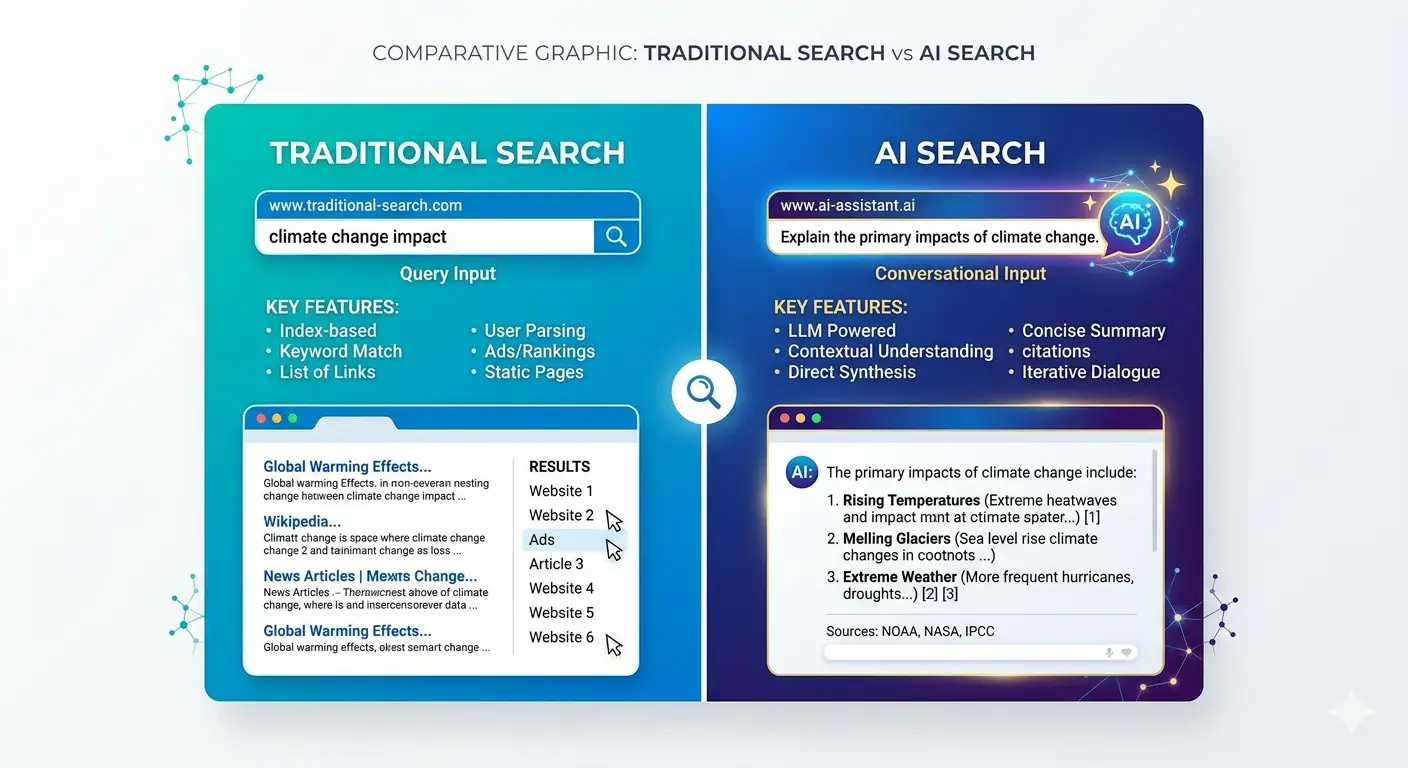
The key word is artificial intelligence — which is what separates modern automation from the rule-based automation that’s been around for decades. Traditional automation follows rigid rules: “if X happens, do Y.” AI automation can read, interpret, judge, and act on unstructured information — emails, voice messages, documents, images — the kind of messy, real-world inputs that traditional software couldn’t handle.
In practical terms: a traditional automation tool could automatically move an email to a folder based on the sender’s address. An AI automation tool can read the email, understand that it’s a sales enquiry from a decision-maker in a specific industry, draft an appropriate personalised response, add the contact to your CRM with relevant tags, and flag it for your attention — all without you touching it.
How Is AI Workflow Automation Different from Traditional Automation?
Traditional automation (tools like basic Zapier workflows, scheduled email sequences, or if-then rules in your CRM) works well when the inputs are predictable and structured. It’s fast, reliable, and cheap. It’s also brittle — anything outside the rules it was built for causes it to fail or miss the task entirely.
AI automation handles the messy middle: the stuff that used to require a human because it needed judgement, interpretation, or context.
The practical implication for small businesses is significant. Tasks that previously required a dedicated person — or a significant portion of your time — can now be handled partially or fully by AI, at a fraction of the cost.
What Does AI Workflow Automation Actually Look Like?
Here are real examples of how small businesses are using AI workflow automation right now — not in theory, but in practice:
Customer enquiry handling: An AI reads incoming enquiries, identifies the type of request, drafts a personalised response in your tone of voice, and either sends it automatically or presents it to you for one-click approval. Response times go from hours to minutes.
Appointment scheduling: Instead of the back-and-forth of finding a time that works, an AI agent reads the request, checks your calendar, proposes times, confirms the booking, sends reminders to both parties, and updates your CRM — without you being in the loop at all.
Invoice and document processing: AI reads incoming invoices, extracts the relevant data (supplier, amount, due date, line items), and enters it into your accounting software automatically. What used to take 20 minutes per invoice takes seconds.
Lead qualification and follow-up: When someone fills in a contact form, AI assesses their answers, scores the lead based on your criteria, adds them to the right sequence in your CRM, and triggers the appropriate follow-up — whether that’s an automated email, a calendar invite, or a task assigned to you.
Weekly reporting: Instead of pulling data from five different tools every Monday morning, an AI agent aggregates it, writes a plain-English summary of the key numbers, and sends it to you (or your team) automatically.
Content repurposing: A blog post is written and published — AI then automatically creates a summary for your email newsletter, drafts three LinkedIn post variations, and generates a series of short-form social captions. One piece of content, multiple outputs, zero manual effort.
Customer support: An AI chatbot on your website handles common questions — opening hours, pricing, service details, booking processes — 24 hours a day, escalating to a human only when genuinely needed.
What Tools Are Used for AI Workflow Automation?
You don’t need to be a developer to access AI automation. The landscape of tools has matured rapidly, and many are genuinely accessible to non-technical business owners.
Zapier and Make (formerly Integromat): The most widely used no-code automation platforms. Both now have AI capabilities built in alongside their traditional if-then logic. Good starting point for simple automations.
n8n: An open-source automation platform that gives more flexibility than Zapier, particularly for AI-powered workflows. Slightly more technical but significantly more powerful.
OpenAI and Anthropic APIs: The underlying AI models (GPT-4, Claude) that power most AI workflow tools. Direct API access is for developers, but many tools are built on top of these models.
Microsoft Copilot: Built into Microsoft 365, Copilot automates tasks within Word, Excel, Outlook, and Teams. Increasingly powerful for businesses already in the Microsoft ecosystem.
HubSpot, Salesforce, and other CRM platforms: All now have AI features built in for lead scoring, email drafting, follow-up sequences, and reporting.
At HusQuay, we build custom AI workflow automations for clients using combinations of these tools, connected to each other and to the client’s existing software stack — creating systems that work specifically for their business rather than generic out-of-the-box solutions.
What Can AI Workflow Automation Not Do?
Honesty matters here. AI automation is powerful but it isn’t magic, and overselling it does nobody any favours.
It can’t replace human relationships. The final stages of a sales process, complex client negotiations, and situations requiring emotional intelligence still need a person. AI can handle the admin around those conversations — not the conversations themselves.
It can make mistakes. AI reads context remarkably well, but it gets things wrong. Any automated output that goes directly to clients should have a human review step, at least initially, until you trust the system.
It needs setting up properly. The “set it and forget it” promise is partly true — but the setup requires thought, testing, and refinement. A poorly designed AI automation can create more problems than it solves.
It requires good data. AI systems are only as useful as the information they have access to. If your CRM is a mess and your processes aren’t documented, an AI automation layer will automate the chaos rather than fix it.
How Do You Get Started with AI Workflow Automation?
The best approach for most small businesses is to start small and specific rather than trying to automate everything at once.
Step 1: Identify your most time-consuming repetitive tasks. Write down everything you or your team do more than five times a week. These are your automation candidates.
Step 2: Prioritise by time saved vs risk. Tasks that are low-stakes and high-volume (reporting, data entry, scheduling) are ideal starting points. Tasks involving direct client communication need more care in the design.
Step 3: Map the workflow before you automate it. Know every step of the process — inputs, decisions, outputs — before you ask AI to handle it. You can’t automate a process you haven’t defined.
Step 4: Start with one automation and measure the result. Don’t try to overhaul everything at once. Build one automation, run it for a month, measure the time saved, and iterate.
Step 5: Build up your stack over time. As individual automations prove themselves, connect them together. The real power of AI workflow automation is in the compounding effect — systems that talk to each other and reduce human touchpoints across the board.
What Does AI Workflow Automation Cost?
For most small businesses, the entry point is much lower than expected.
Basic no-code automation tools (Zapier, Make) start at £20–£50/month for meaningful functionality. AI API costs on top of that depend on usage but are typically pennies per transaction for most small business workflows.
Custom AI workflow builds — where an agency or developer creates automations tailored to your specific processes — typically cost £1,500–£8,000 depending on complexity, with ongoing maintenance costs of £50–£200/month.
The return on that investment is straightforward to calculate: if an automation saves five hours of staff time per week at £25/hour, it saves £6,500 per year. A £3,000 build pays for itself in under six months.
Frequently Asked Questions
What is AI workflow automation in simple terms? AI workflow automation means using artificial intelligence to handle repetitive business tasks automatically — without a human needing to do them manually each time. Unlike traditional automation, AI can read unstructured information like emails and documents, make judgements, and take appropriate actions based on context.
Do small businesses actually use AI workflow automation? Yes, and increasingly so. Tasks like customer enquiry handling, appointment scheduling, invoice processing, lead follow-up, and report generation are all being automated by small businesses right now using tools like Zapier, Make, and custom AI builds. You don’t need to be a large company or have a technical team to benefit.
Is AI workflow automation the same as a chatbot? Not exactly. A chatbot is one specific type of AI automation — one that handles customer conversations on a website or messaging platform. AI workflow automation is broader: it covers any sequence of business tasks that can be handled by AI, across any part of your operations. A chatbot might be one component within a larger automation system.
How long does it take to set up AI workflow automation? Simple automations (a single trigger and action, like automatically adding a form submission to your CRM) can be set up in an hour using no-code tools. More complex systems involving multiple steps, AI interpretation, and integrations across several platforms typically take one to four weeks to design, build, and test properly.
What’s the difference between AI automation and just using AI tools? Using AI tools (like asking ChatGPT to draft an email) still requires you to manually trigger the action. AI automation runs in the background without you initiating it — the system detects the trigger (a new enquiry, a new invoice, a scheduled time) and handles the process automatically. The difference is between using a tool and building a system.
Is my business data safe with AI automation tools? This depends on the tools and how they’re configured. Reputable platforms (OpenAI, Microsoft, Zapier) have enterprise-grade security and data processing agreements. You should always review the data handling policies of any tool you use, particularly if processing personal customer data under UK GDPR. A professional setup will include appropriate data governance from the outset.
How do I know which tasks to automate first? Start with tasks that are high-volume, low-stakes, and well-defined. The ideal first automation is something you or your team do more than five times a week, that follows a consistent process, and where a mistake wouldn’t have serious consequences. Reporting, data entry, scheduling, and basic customer communications are all good starting points.
Final Thought
AI workflow automation isn’t a technology story. It’s a time story. Every hour your business spends on repetitive manual tasks is an hour not spent on the work only you can do — serving clients, building relationships, developing your product, growing your team.
The businesses that are pulling ahead right now aren’t necessarily the ones with the biggest budgets or the most staff. They’re the ones that have built smart, automated systems that do the repetitive work so the humans can focus on the valuable work.
At HusQuay, we design and build AI workflow systems for small businesses — from simple time-saving automations to fully integrated pipelines that transform how a business operates. If you’re curious what that could look like for yours, let’s talk.
👉 Book a free strategy call with the HusQuay team
HusQuay is a digital growth agency helping small businesses across the UK, USA, Australia, and Canada build websites, brands, and digital systems that create measurable results. Based in Wolverhampton, UK.